SAE Management
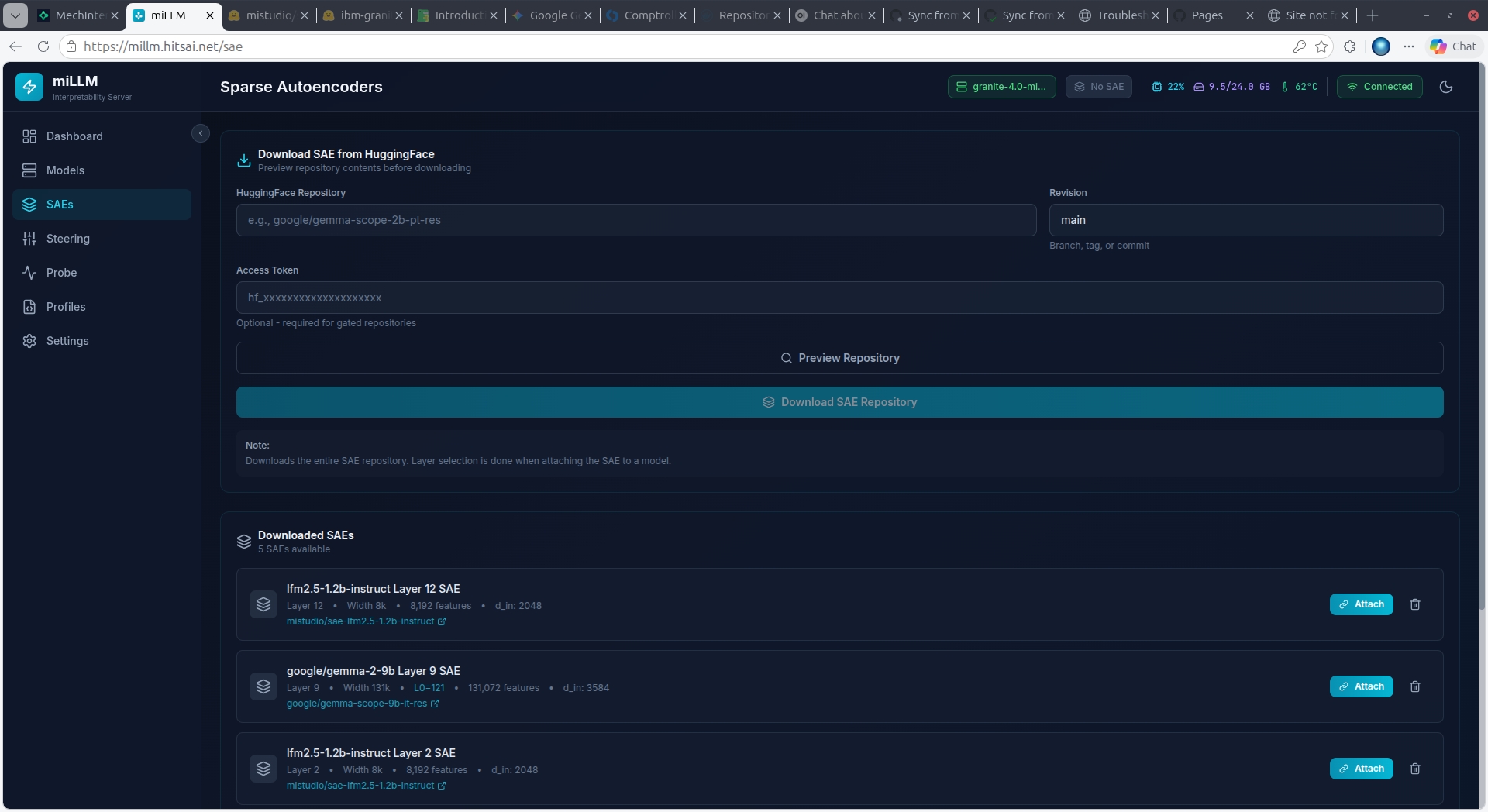
A Sparse Autoencoder (SAE) must be attached to a model layer before steering or monitoring can work.
Downloading SAEs
- Navigate to SAEs in the sidebar
- Enter the SAE repository ID (e.g.,
google/gemma-scope-2b-pt-res) - Click Preview to browse available SAE files
- Select one or more SAEs from the grouped file listing:
- Files are grouped by layer and width
- Each group shows dimensions (d_in × d_sae) and file size
- Multi-select supported
- Click Download
Gemma-Scope SAEs
For Gemma 2 models, the recommended SAEs are from google/gemma-scope-*. Choose the matching model size (2b, 9b, 27b) and select a layer/width combination. Wider SAEs (16k, 131k) have more features but use more VRAM.
Attaching an SAE
Once downloaded, click Attach on any cached SAE. This:
- Loads the SAE weights to GPU
- Registers a forward hook on the specified model layer
- Locks the model to prevent accidental unloading
- Enables steering and monitoring capabilities
Only one SAE can be attached at a time. Detach the current SAE before attaching a different one.
SAE Information
Each SAE card displays:
- d_in: Input dimension (must match model hidden dimension at the hooked layer)
- d_sae: Latent dimension (number of features — this is the max feature index + 1)
- Trained on: Which model the SAE was trained with
- Layer: Which layer the SAE targets