The Template Ecosystem
miStudio uses JSON templates for scientific reproducibility across four systems:
| Template Type | What It Saves | Use Case |
|---|---|---|
| Extraction Templates | Sample count, token filters, context window settings | Standardize extraction methodology |
| Training Templates | All SAE hyperparameters, architecture, layer/hook config | Share exact training recipes |
| Labeling Prompt Templates | LLM persona, analysis instructions, output format | Consistent labeling across teams |
| Steering Prompt Templates | Reusable prompt series for steering experiments | Reproducible steering tests |
All templates support: create, edit, duplicate, export (JSON), import, and favorites.
Extraction Templates
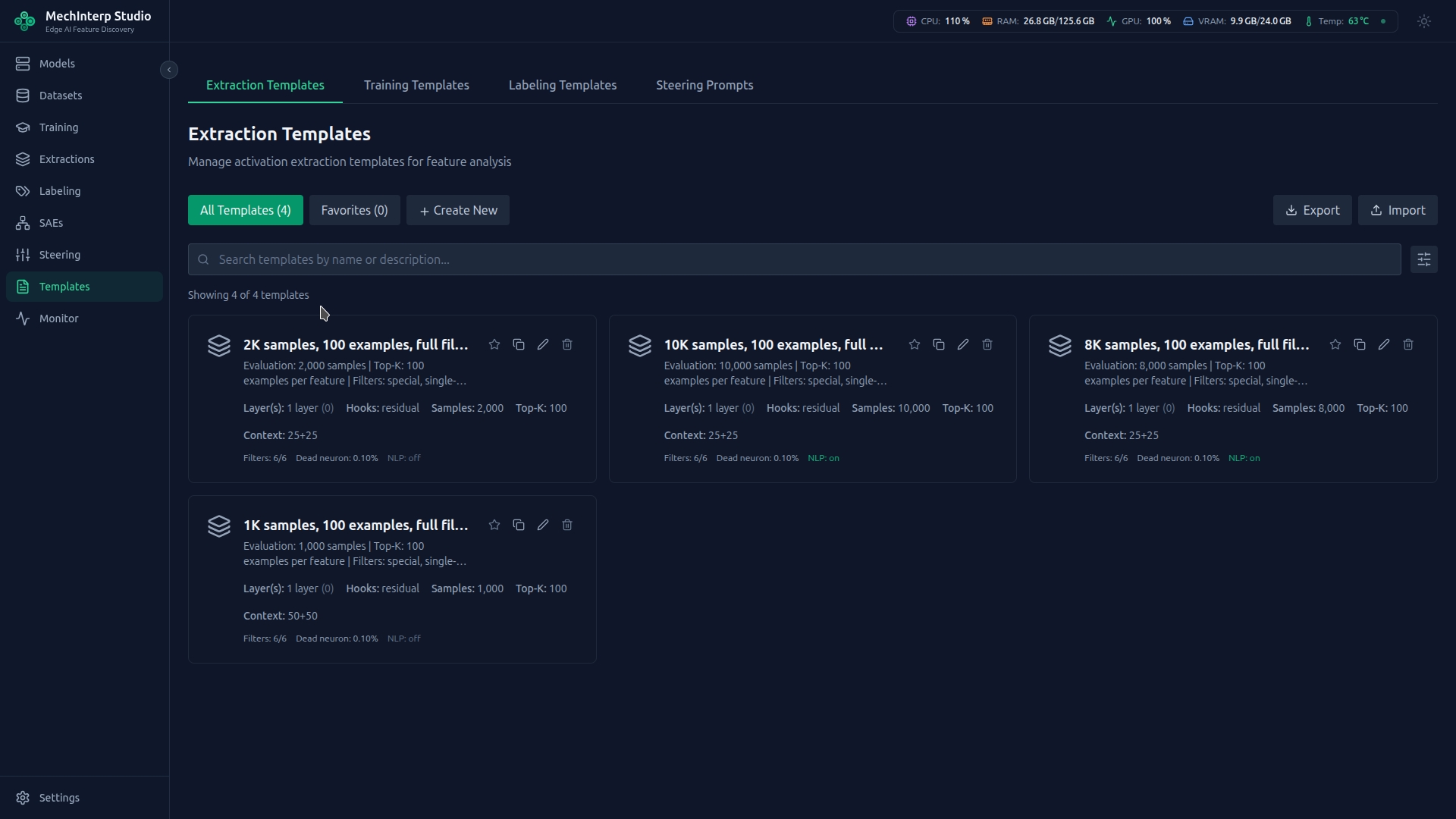
Extraction templates capture sample counts, token filtering settings, context window configuration, and other extraction parameters for consistent methodology across experiments.
Training Templates
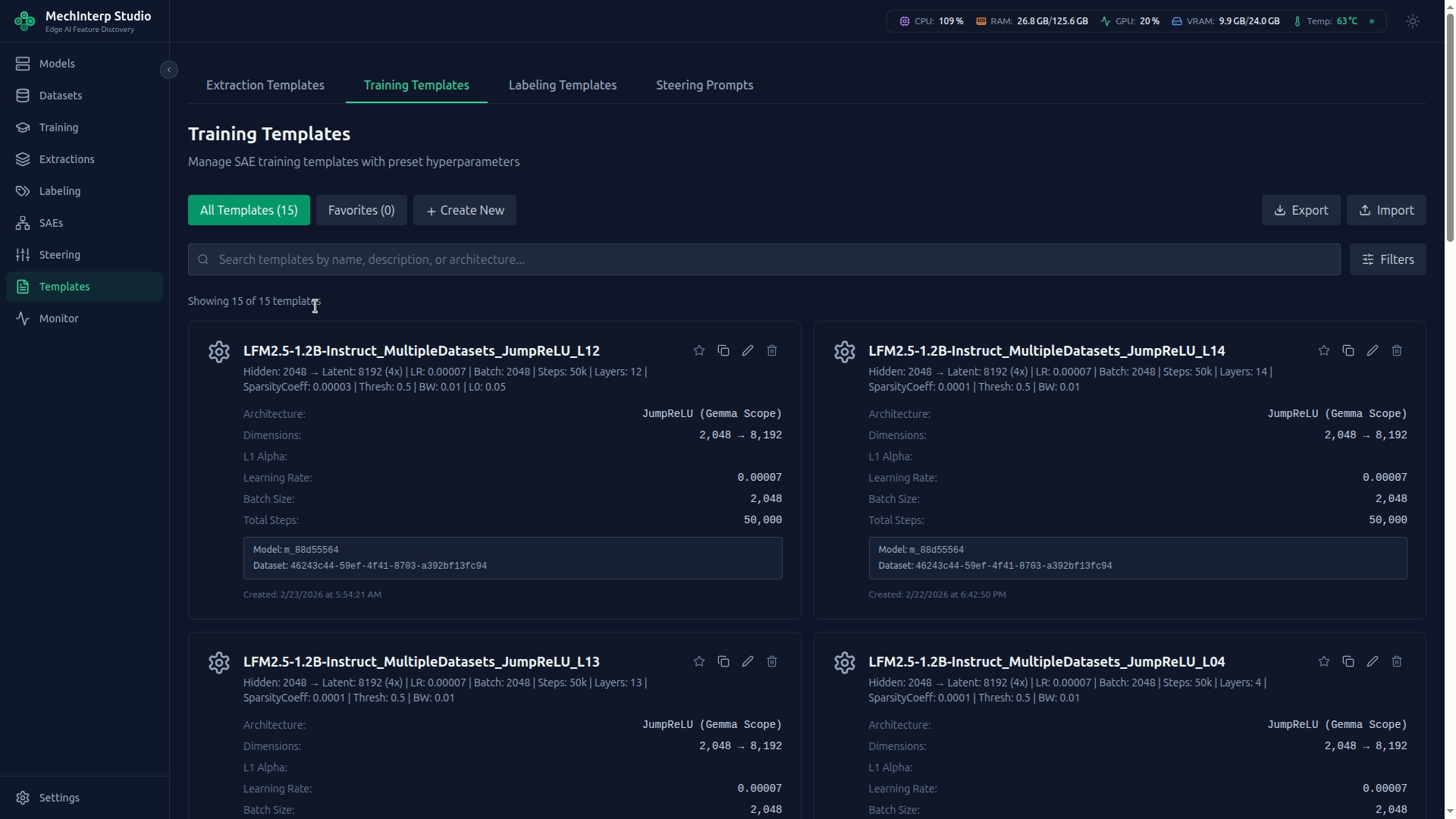
Save any training configuration as a template for reproducibility. Export as JSON to share with colleagues, import templates from other researchers, and mark favorites for quick access.
Labeling Prompt Templates
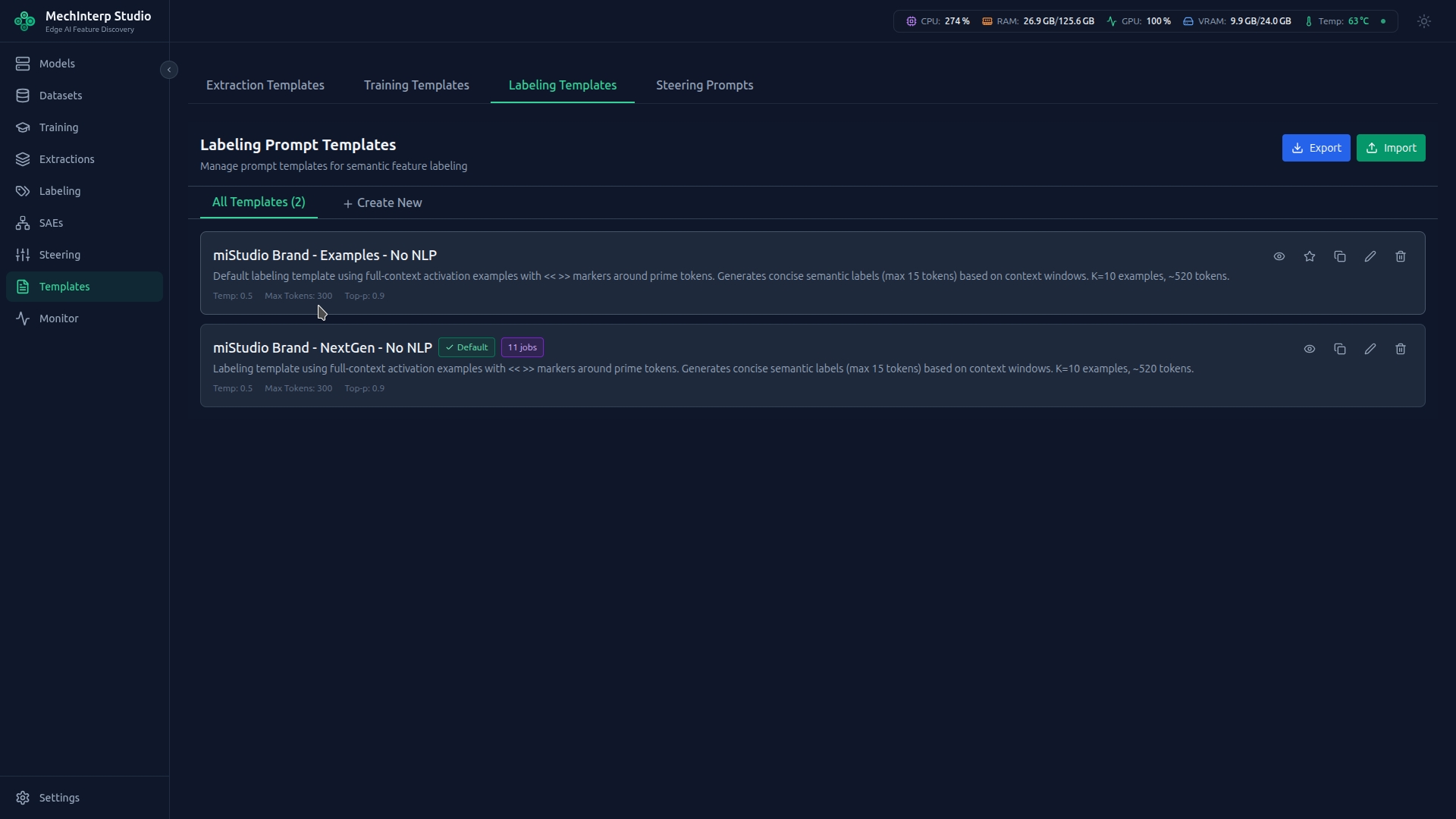
Customize how the LLM analyzes features by editing labeling prompt templates. Change the "persona" of the labeling assistant, adjust analysis instructions, and add domain-specific context.
Template Types
miStudio supports two template formats, controlled by the Template Type field:
| Type | Placeholder | Data Shown to LLM | Best For |
|---|---|---|---|
legacy | {tokens_table} | Token → occurrence count table | Fast, token-focused labeling |
mistudio_context | {examples_block} | Full context: prefix << token >> suffix per example | Semantic pattern labeling |
The Context-Aware System Template
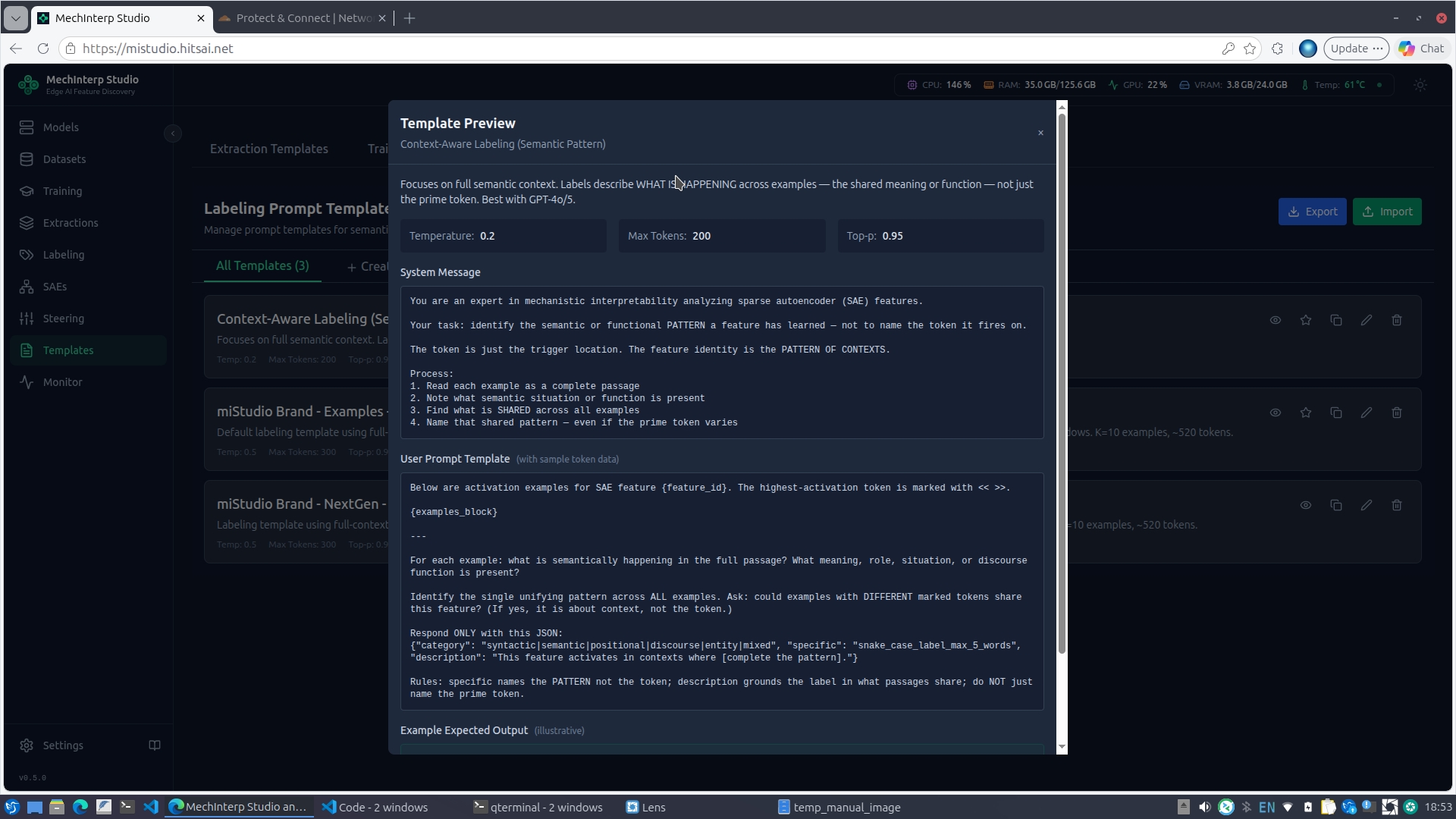
The built-in "Context-Aware Labeling (Semantic Pattern)" system template uses mistudio_context format and is the recommended starting point for new labeling jobs. It:
- Shows full context windows for each activation example (not just token frequencies)
- Instructs the LLM to identify the shared semantic pattern across all examples, not just name the prime token
- Includes 3 negative (low-activation) counter-examples for contrastive grounding
- Produces labels structured as
{category, specific, description}wherespecificnames the pattern
You cannot delete system templates, but you can duplicate them to create customized variants.
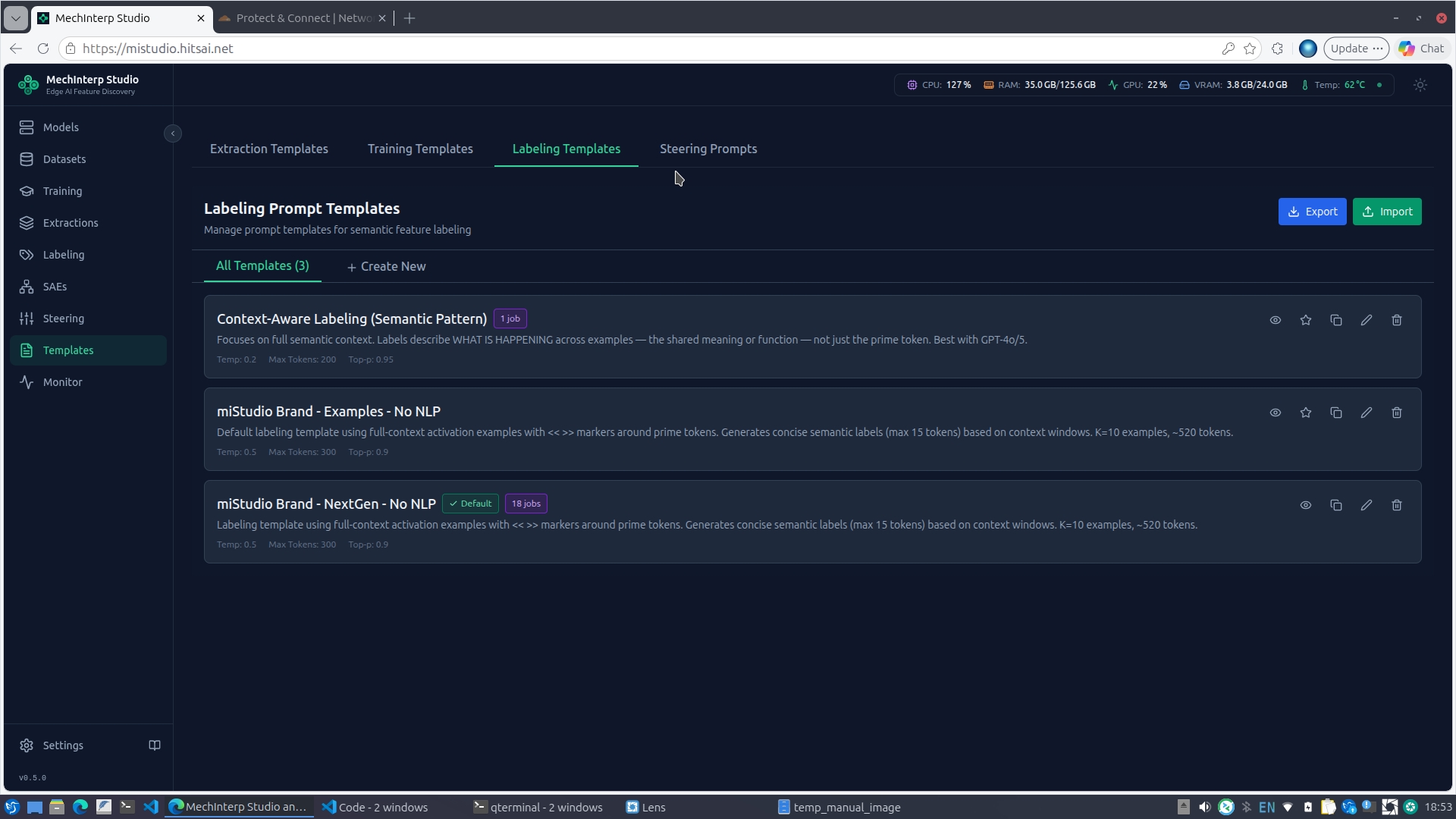
Clicking the eye icon on any template shows a full preview of its system message and user prompt:
Steering Prompt Templates
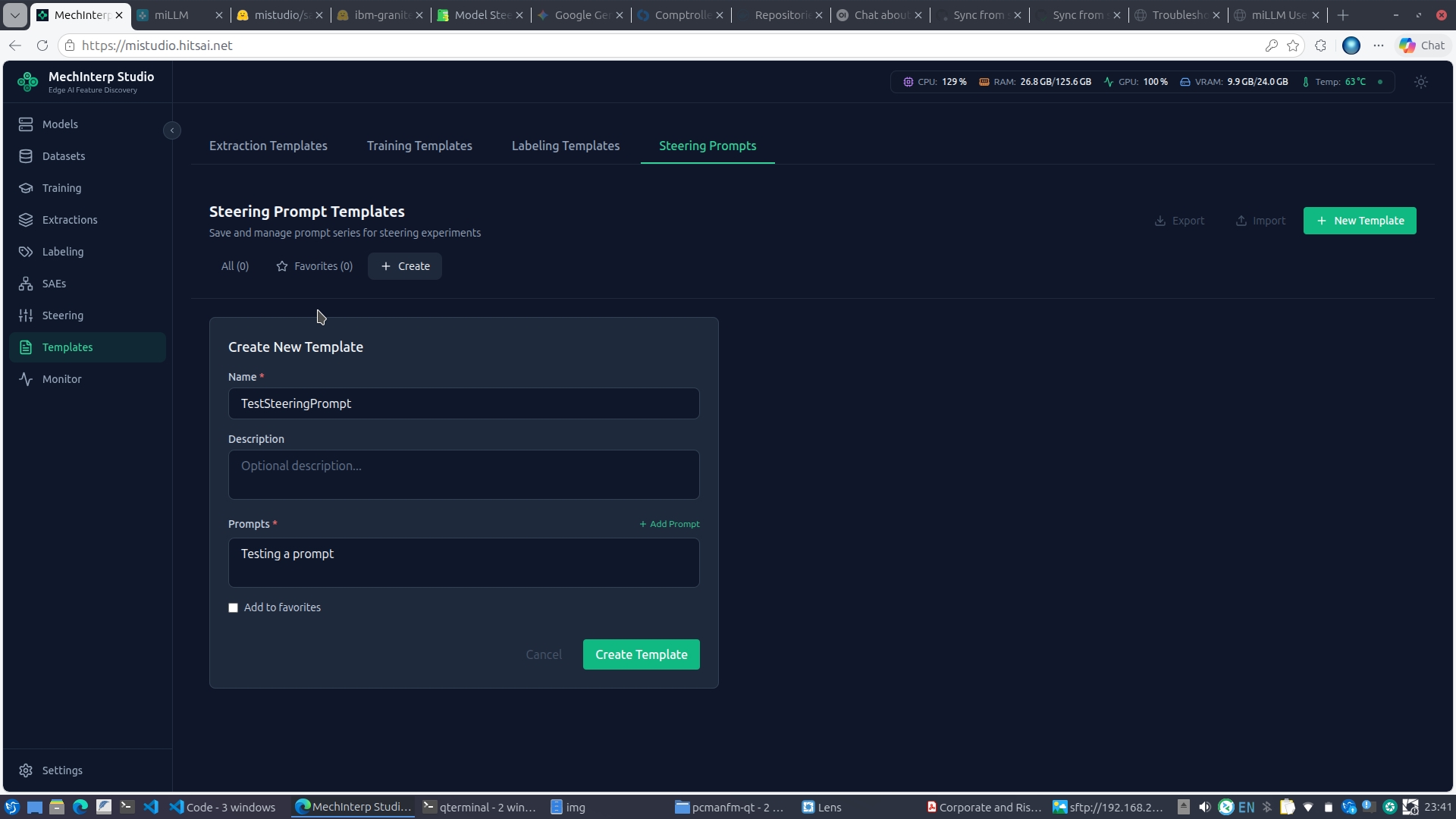
Steering prompt templates store reusable series of prompts for batch steering experiments. Create a template with multiple prompts, then apply it across different features and strength configurations for systematic testing.