SAE Training — Building the Prism
The Training panel is where you build the Sparse Autoencoder that decomposes polysemantic neurons into monosemantic features.

Configuring a Training Job
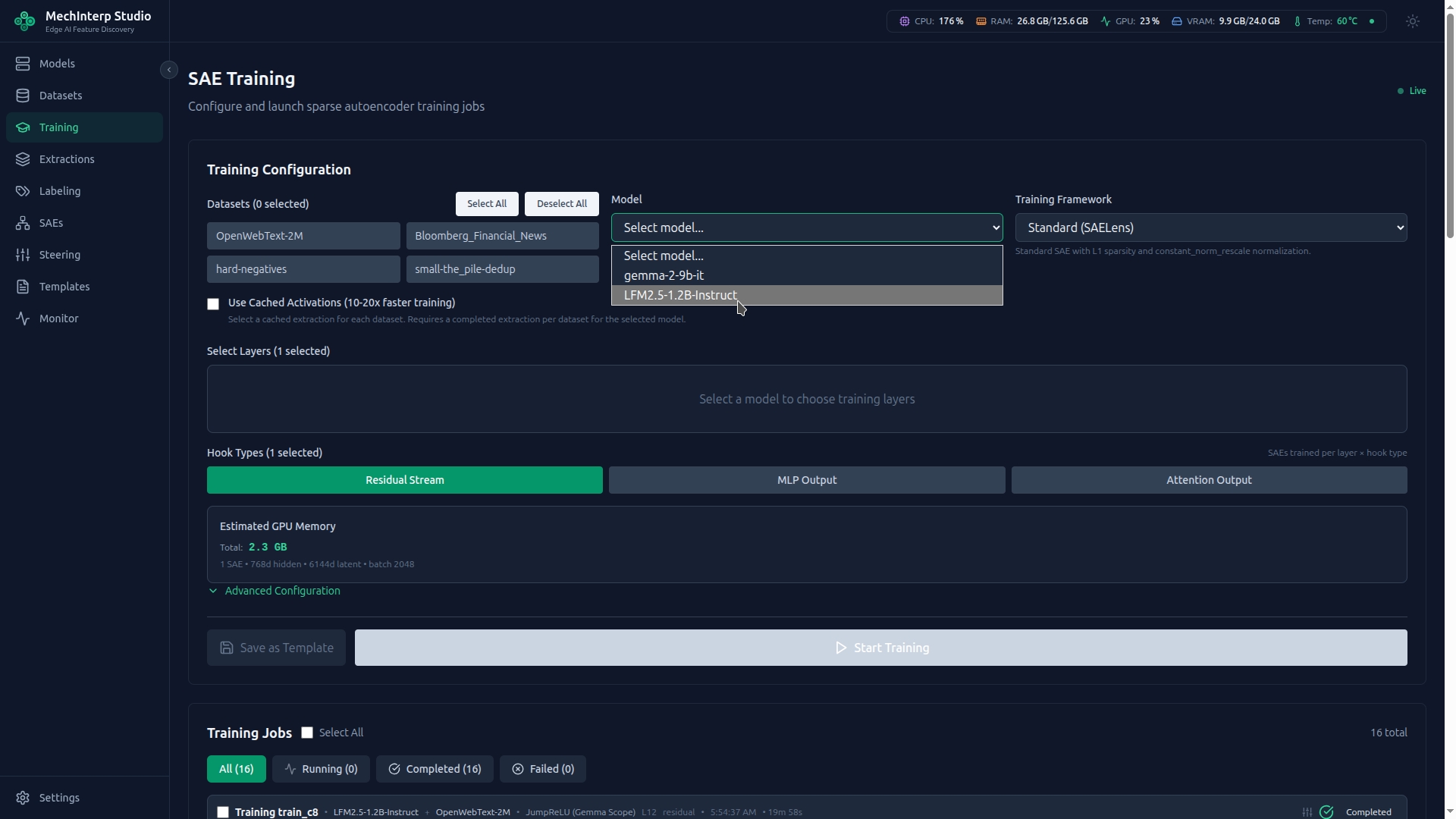
The training configuration walks you through three steps: select a model, choose your SAE architecture, and set hyperparameters.
The Six SAE Frameworks
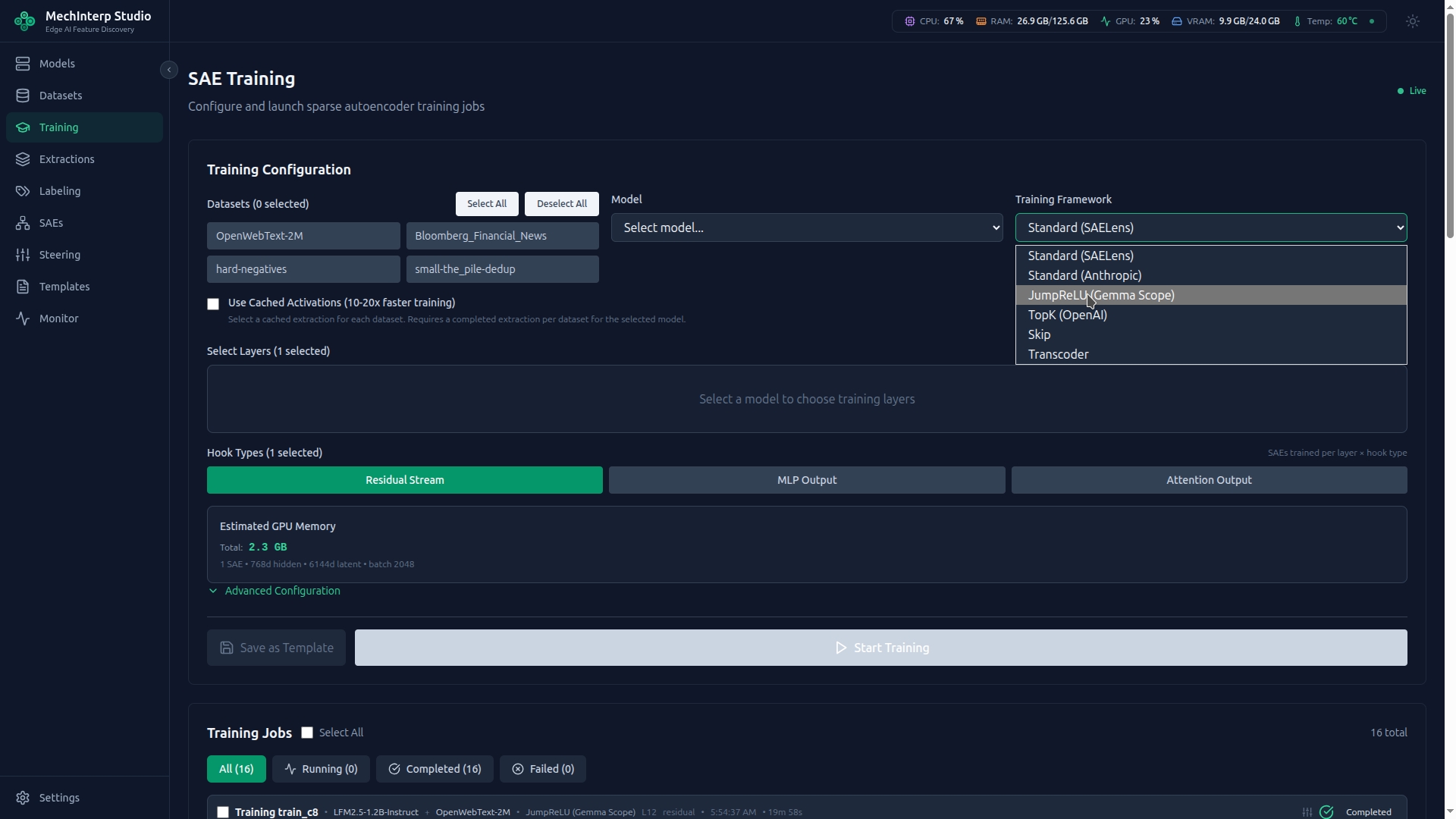
miStudio supports six paper-grounded SAE architectures, each with different sparsity mechanisms and trade-offs:
1. Standard SAELens (Bricken et al., 2023)
The classic approach — ReLU activation with L1 sparsity penalty.
| Parameter | Default | Description |
|---|---|---|
l1_alpha | 5e-4 | L1 penalty strength. Higher = sparser but risks dead features |
normalize_activations | constant_norm_rescale | Rescales activations to unit norm before encoding |
When to use: General-purpose feature discovery. Good starting point for new researchers.
- Too many messy features? Increase
l1_alpha(try 2x) - Too many dead features (>50%)? Decrease
l1_alpha(try 0.5x) - Target: L0 between 10–100 active features per token, dead neurons <20%
2. Standard Anthropic (Templeton et al., 2024)
Anthropic's variant with specialized normalization and higher default sparsity.
| Parameter | Default | Description |
|---|---|---|
l1_alpha | 5.0 | Much higher than SAELens — Anthropic's normalization rescales differently |
normalize_activations | anthropic_rescale | Anthropic-specific rescaling that changes the L1 coefficient scale |
The l1_alpha for Anthropic (default 5.0) is NOT comparable to SAELens (default 5e-4). The normalization modes change what the coefficient means. Do NOT copy L1 values between frameworks.
When to use: When replicating Anthropic's published results or using their recommended configurations.
3. JumpReLU (Rajamanoharan et al., 2024 — Gemma Scope)
High-performance architecture using learnable thresholds. Features are binary — OFF below threshold, full activation above.
| Parameter | Default | Range | Description |
|---|---|---|---|
sparsity_coeff (λ) | 1e-3 | 1e-5 to 5e-3 | L0 coefficient (paper scale). At L0=50: loss_l0 = 1e-3 × 50 = 0.05 |
initial_threshold | 0.5 | 0–5.0 | Starting jump threshold per feature |
bandwidth | 0.01 | 0–1.0 | STE gradient estimation bandwidth |
normalize_decoder | true | — | Required: keeps decoder columns at unit norm |
How it works: Instead of a continuous penalty, JumpReLU uses a step function approximated by a sigmoid for gradient flow: σ((z-θ)/ε) where θ is a learnable per-feature threshold. Features are counted (not averaged) for the L0 loss: L0 = Σ_i H(z_i - θ_i) summed per sample, then averaged over the batch.
sparsity_coeff for JumpReLU is on a completely different scale than l1_alpha. Typical values: 1e-4 to 5e-3. Do NOT use L1 values (like 0.0005) for this parameter — they will produce zero sparsity pressure.
When to use: Best for preventing "shrinkage" — features activate sharply rather than being penalized into small values. Preferred for production-quality SAEs.
4. TopK (Gao et al., 2024 — OpenAI)
Structural sparsity — exactly K features activate per input, no penalty needed.
| Parameter | Default | Description |
|---|---|---|
top_k | 50 | Exact number of active features per sample |
aux_loss_alpha | 0.03125 | Auxiliary loss weight for dead feature prevention (1/32 per paper) |
aux_k | top_k × 2 | Features used in auxiliary loss computation |
adam_epsilon | 6.25e-10 | Paper-specific Adam optimizer epsilon |
How it works: After encoding, only the top K activations are kept; all others are zeroed. An auxiliary loss encourages dead features to eventually activate.
When to use: When you want exact control over sparsity level. No L1/L0 tuning needed — just set K.
5. Skip (Community Variant)
Standard L1 sparsity with a residual skip connection from input to decoder output.
When to use: When reconstruction quality is critical — the skip connection provides an "escape hatch" for information the SAE bottleneck can't capture.
6. Transcoder (Dunefsky et al., 2024)
Predicts MLP output from MLP input — learns the transformation a layer performs.
When to use: When studying how information transforms between layers, not just what's represented at a single point.
Framework-Aware Configuration
When you select a framework, the UI automatically:
- Shows/hides framework-specific fields (e.g.,
top_konly appears for TopK) - Sets paper-grounded defaults for all parameters
- Adjusts validation ranges to match the framework's expected scales
Activation Normalization Modes
Before feeding activations into the SAE, they can be normalized:
| Mode | Description | Used By |
|---|---|---|
constant_norm_rescale | Rescale to constant L2 norm | SAELens Standard |
anthropic_rescale | Anthropic-specific rescaling | Standard Anthropic |
none | Raw activations, no normalization | Skip, Transcoder |
Different normalization modes change the scale of activations entering the encoder, which changes the effective meaning of sparsity coefficients. This is why l1_alpha=5.0 for Anthropic produces similar sparsity to l1_alpha=0.0005 for SAELens — the normalization absorbs the difference.
Essential Hyperparameters
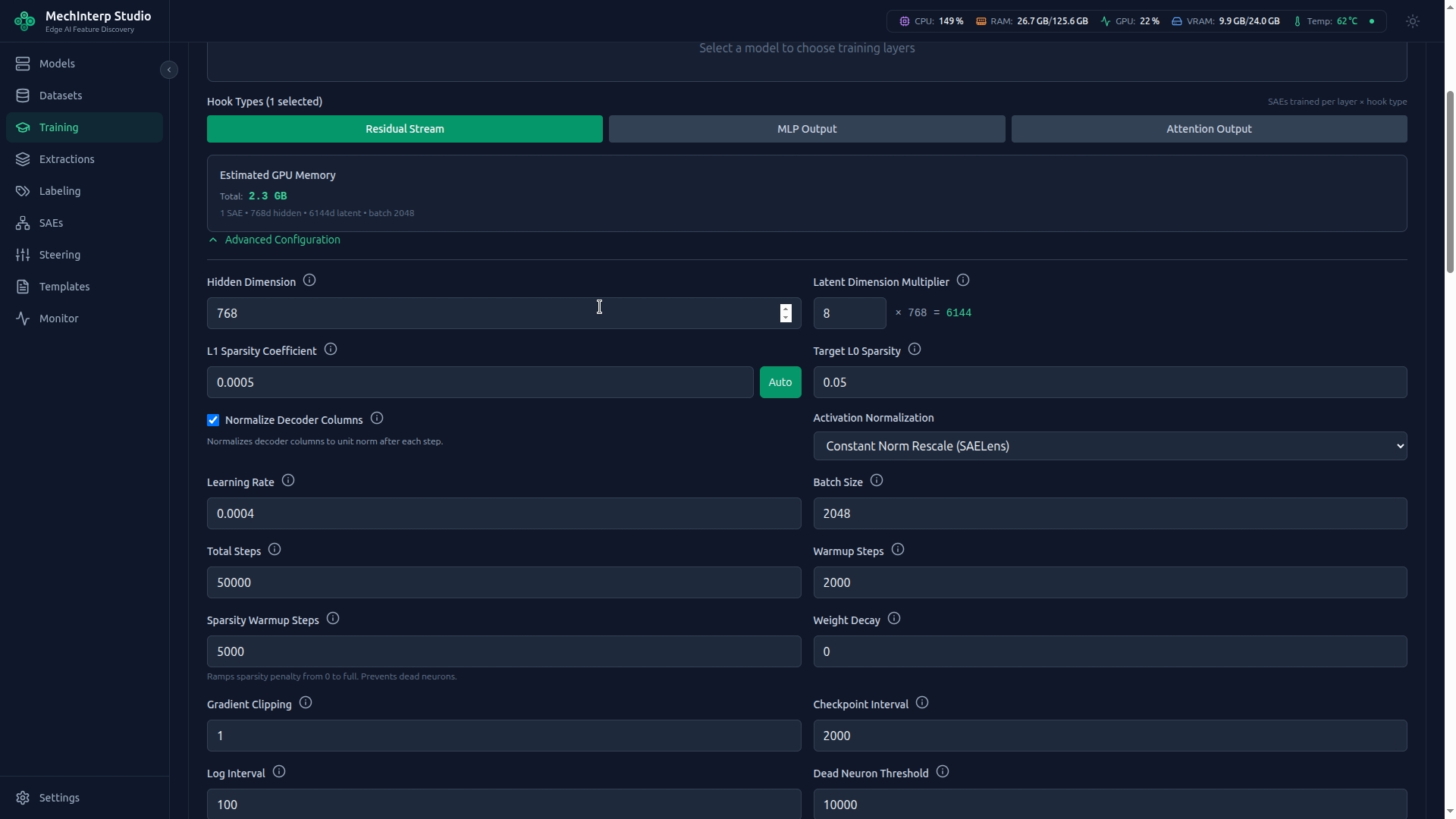
Beyond architecture-specific settings, these apply to all frameworks:
| Parameter | Default | Range | Effect |
|---|---|---|---|
| Learning Rate | 3e-4 | 1e-5 to 1e-2 | If loss spikes: too high. If loss barely moves: too low. |
| Batch Size | 4096 | 32–65536 | Larger = smoother gradients but more VRAM |
| Total Steps | 30,000 | 1,000–1,000,000 | More steps = better features, longer training |
| Warmup Steps | 1,000 | 0–10,000 | Linear LR warmup prevents early instability |
| Sparsity Warmup | 5,000 | 0–50,000 | Gradually increases sparsity pressure. Critical for JumpReLU to prevent mass neuron death at initialization. |
| Expansion Factor | 8–32× | 2–128× | SAE width relative to model hidden dim. 8× is common (512 neurons → 4,096 features). |
| Weight Decay | 0.0 | 0–0.1 | L2 regularization. Usually 0 for SAEs. |
| Gradient Clip Norm | 1.0 | 0–10.0 | Prevents gradient explosions during training. |
Dead Neuron Management
Features that never activate are "dead neurons" — wasted capacity.
| Setting | Default | Description |
|---|---|---|
dead_neuron_threshold | 1,000 steps | Steps of inactivity before a feature is considered dead |
resample_dead_neurons | true | Automatically reinitialize dead features |
resample_interval | 5,000 steps | How often to check and resample dead features |
- >50% dead: Your sparsity pressure is too high. Reduce
l1_alphaorsparsity_coeff. - <5% dead: Your sparsity might be too low — features may be polysemantic.
- 10–20% dead is typical and healthy.
- TopK: Uses auxiliary loss instead of resampling — set
aux_loss_alphahigher if too many die.
Training Metrics
While training, miStudio streams these metrics in real-time via WebSocket:
| Metric | Target | What It Means |
|---|---|---|
| Total Loss | Decreasing | Combined reconstruction + sparsity loss |
| Reconstruction Loss (MSE) | < 0.1 | How much "truth" the SAE lost. Lower = more faithful. |
| L0 (Sparsity) | 10–100 | Average active features per token. Lower = easier to interpret. |
| FVU | < 0.1 | Fraction of Variance Unexplained. Below 0.05 is excellent. |
| Dead Neurons % | 10–20% | Features that never fire. See Dead Neuron Management above. |
Training Controls
Active training jobs support:
- Pause/Resume: Suspend training to free GPU for other work, then continue
- Stop: Gracefully end training (saves final checkpoint)
- Checkpoints: Saved every N steps (configurable). Each records loss, L0, and model weights. The "best checkpoint" (lowest loss) is tracked automatically.
Training Templates
Save any training configuration as a template for reproducibility:
- Export as JSON to share with colleagues
- Import templates from other researchers
- Mark favorites for quick access
- Duplicate and modify for parameter sweeps